FCM (Android and web push)
Firebase Cloud Messaging carries Android push and web push. As with APNs, Appwin sends with your credentials.
Appwin uses the FCM v1 API, the one that authenticates with a service
account. The old legacy server keys (AAAA…) do not work - Google has retired
them.
1. Project ID and service account
In the Firebase console, on your project. While you are there, check that Cloud Messaging (API V1) is enabled.
- 1
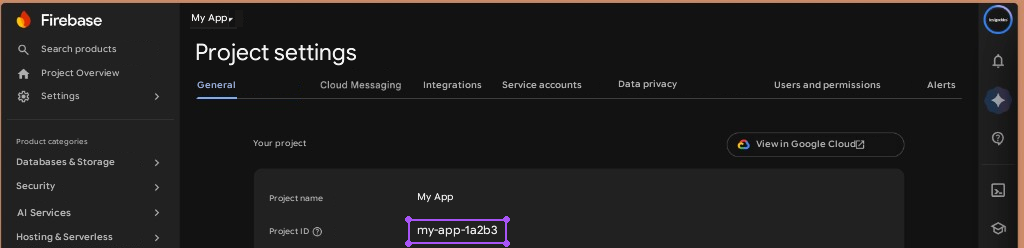
Collect the Project ID
Gear icon → Project settings → General tab → "Project ID", of the form
my-app-1a2b3.That is the technical identifier, not the display name. The two often look alike, and confusing them gives a 404 on every send.
- 2
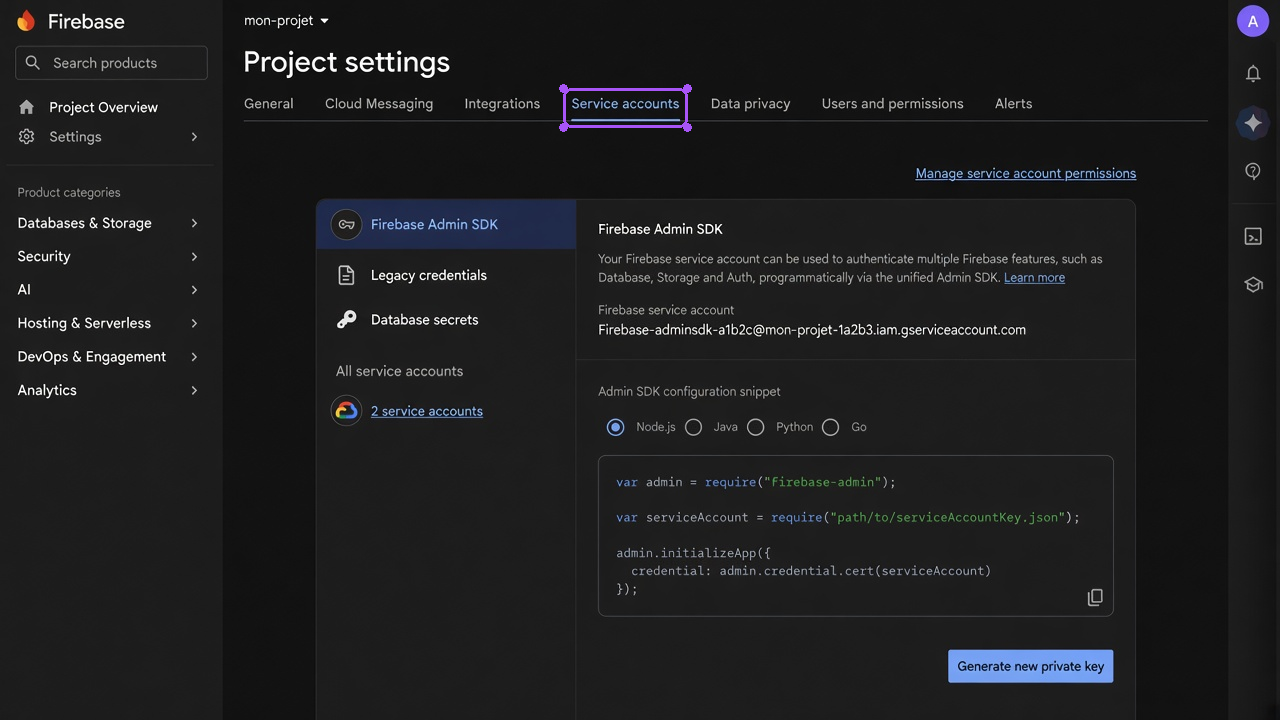
Open Service accounts
Project settings → Service accounts tab.
- 3
Generate the private key
Generate new private key → confirm. The JSON downloads.
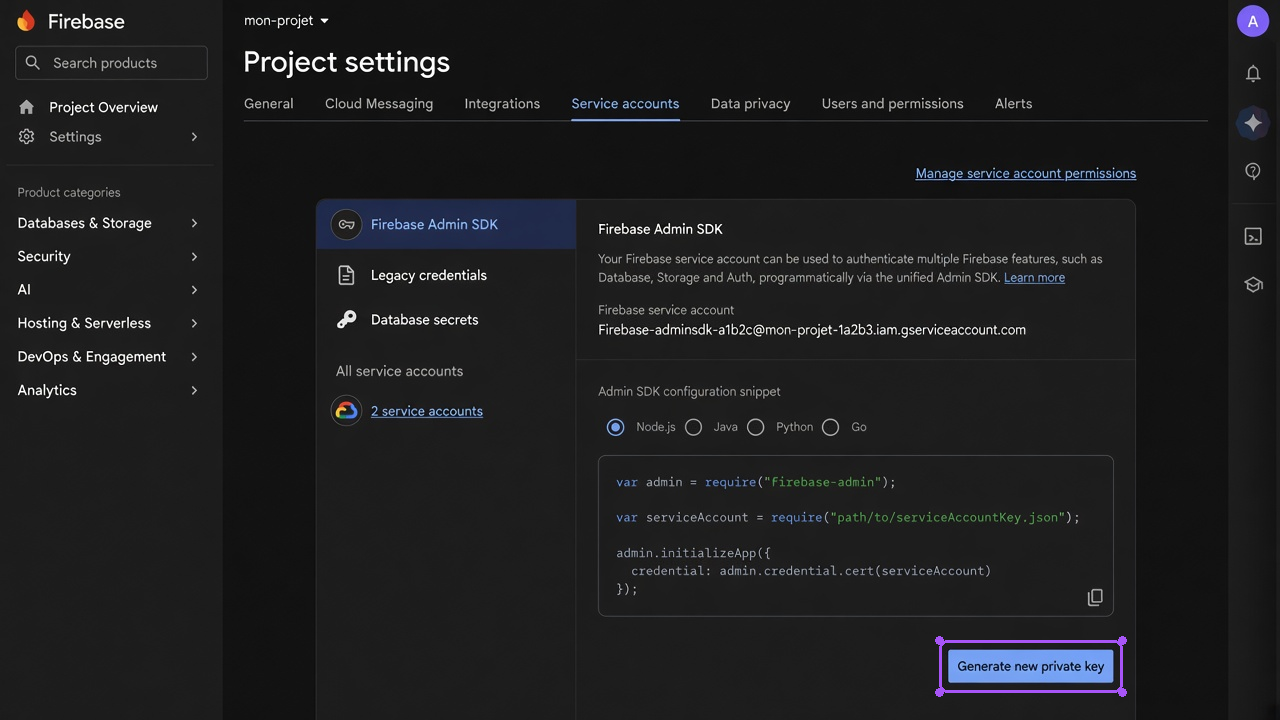
The JSON cannot be downloaded again. If lost, generate a new one and delete the old one from Google Cloud.
- 4
Import in Appwin
Settings → Projects → your app → Integrations → Firebase Cloud Messaging.
Field Value Firebase Project ID my-app-1a2b3Service Account JSON The entire contents of the file Use Import a file rather than a copy and paste: the JSON contains a private key with escaped
\n, which a clipboard damages easily.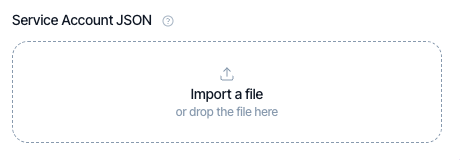
2. Register the device token
Every device declares its FCM token after permission is granted.
final token = await FirebaseMessaging.instance.getToken();
if (token != null) {
  await AppwinCore.instance.registerPushToken(
    token: token,
    platform: 'android',
    pushOptIn: true,
  );
}
FCM can rotate a token at any time. Hook registration onto onTokenRefresh as
well, otherwise the device becomes unreachable with no warning:
FirebaseMessaging.instance.onTokenRefresh.listen((token) {
  AppwinCore.instance.registerPushToken(
    token: token,
    platform: 'android',
  );
});
pushOptIn reflects the user's consent. Set it back to false if they withdraw
permission, rather than stopping token registration: that keeps "declined"
distinguishable from "never seen".
Checking
As with APNs, a missing key makes the API simulate the send rather than fail. A campaign can therefore look like it went out with nothing sent.
Check the API logs: a not configured - simulating delivery message means the
key is missing.
Troubleshooting
| Symptom | Likely cause |
|---|---|
| Android silent | An old legacy server key instead of a service account |
| 404 on every send | The display name entered instead of the project ID |
UNREGISTERED | Stale token: the app was uninstalled, or refresh is not hooked up |
SENDER_ID_MISMATCH | The token comes from a different Firebase project than the configured one |
| JSON rejected | File truncated on copy and paste: use the import |
| Nothing goes out at all | No key: the API simulates and says so in its logs |
Next
- APNs - the iOS side
- Notifications - campaigns, audiences, automations